
Turn your photos into an impressive Flash slide show
Even if you know nothing about Flash, with BannerZest Standard you'll be able to create really snazzy Flash presentations with your pictures.
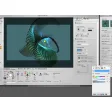
BannerZest Standard is a very slick application which makes Flash photo presentations easy. Simply drag and drop pictures from your images folder to the time line into the order you want them to appear. iPhoto and Photo Booth are already integrated into the program but for other folders, you'll have to browse to them using the file browser at the bottom of the media library window.
Using the Settings window you can add all manner of effects, themes and animations. You can add a title (although it should be easy as double clicking on the 'Title' word but it's not), add subtitles and borders to make your presentation look swish. Once finished, you can share it via FTP or upload it to a website. Note that it doesn't work with OS X 10.4 but an older version available on the developer site will do.
The Pro version of Bannerzest doesn't offer any major advantages other than that it allows you to export an alternative version of your banner in a format that can be viewed when the navigator does not have Flash installed (such as on an iPhone) and you can publish banners in a single .SWF file.
BannerZest Standard allows you to create impressive photo slide shows and banners without having fancy design skills.
New in this release:New theme - 3D Curved Wall. An unmissable theme that's a real show stopper - combining 3D with reflections and curves.Minor bug fixes (a very rare error when publishing with certain FTP servers).Unprecedented Ease and FlexibilityWeb site creators and bloggers are continually looking to introduce new ways to grab the attention of their users with attractive and enticing web sites. They are also under pressure to deliver content quickly, at short notice and to update their sites frequently.BannerZest 2.2 provides ease and flexibility so that webmasters and bloggers can work within necessary time and budgetary constraints, without the need for extensive graphic design skills and the use of Flash. Personal blogs and web sites can benefit too - make the most of your personal photos with a stunning animated banner
Changes
New in this release:New theme - 3D Curved Wall. An unmissable theme that's a real show stopper - combining 3D with reflections and curves.Minor bug fixes (a very rare error when publishing with certain FTP servers).Unprecedented Ease and FlexibilityWeb site creators and bloggers are continually looking to introduce new ways to grab the attention of their users with attractive and enticing web sites. They are also under pressure to deliver content quickly, at short notice and to update their sites frequently.BannerZest 2.2 provides ease and flexibility so that webmasters and bloggers can work within necessary time and budgetary constraints, without the need for extensive graphic design skills and the use of Flash. Personal blogs and web sites can benefit too - make the most of your personal photos with a stunning animated banner



















User reviews about BannerZest
Have you tried BannerZest ? Be the first to leave your opinion!